
domoticz:smartlife
Table des matières

Intégration SMARTLIFE / TUYA
Prérequis
- Python3
- pip3
- git
How To
Python3
si vous avez installer Python3 mais quand vous faite un python -V c'est la version 2.x.x qui apparait:
- sudo rm /usr/bin/python
- sudo ln -s /usr/bin/python3 /usr/bin/python
- ls -l /usr/bin/python
lrwxrwxrwx 1 root root 16 Jan 18 11:04 /usr/bin/python -> /usr/bin/python3
python -V
Python 3.7.3
Tout est ok !
pip3
sudo apt install python3-pip
Git
sudo apt install git-all
Installation
Depuis un terminal ssh, naviguer dans le repertoire /domoticz/plugins.
git clone https://github.com/Xenomes/Domoticz-TUYA-Plugin.git
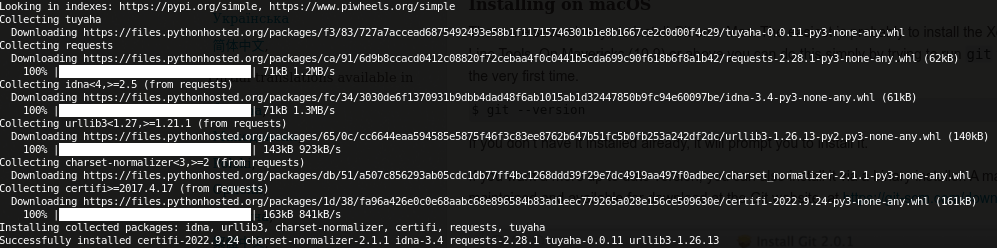
Installer les Library Python Tuya:
sudo pip3 install tuyaha requests
Relancer le service domoticz:
systemctl restart domoticz
Paramètrage
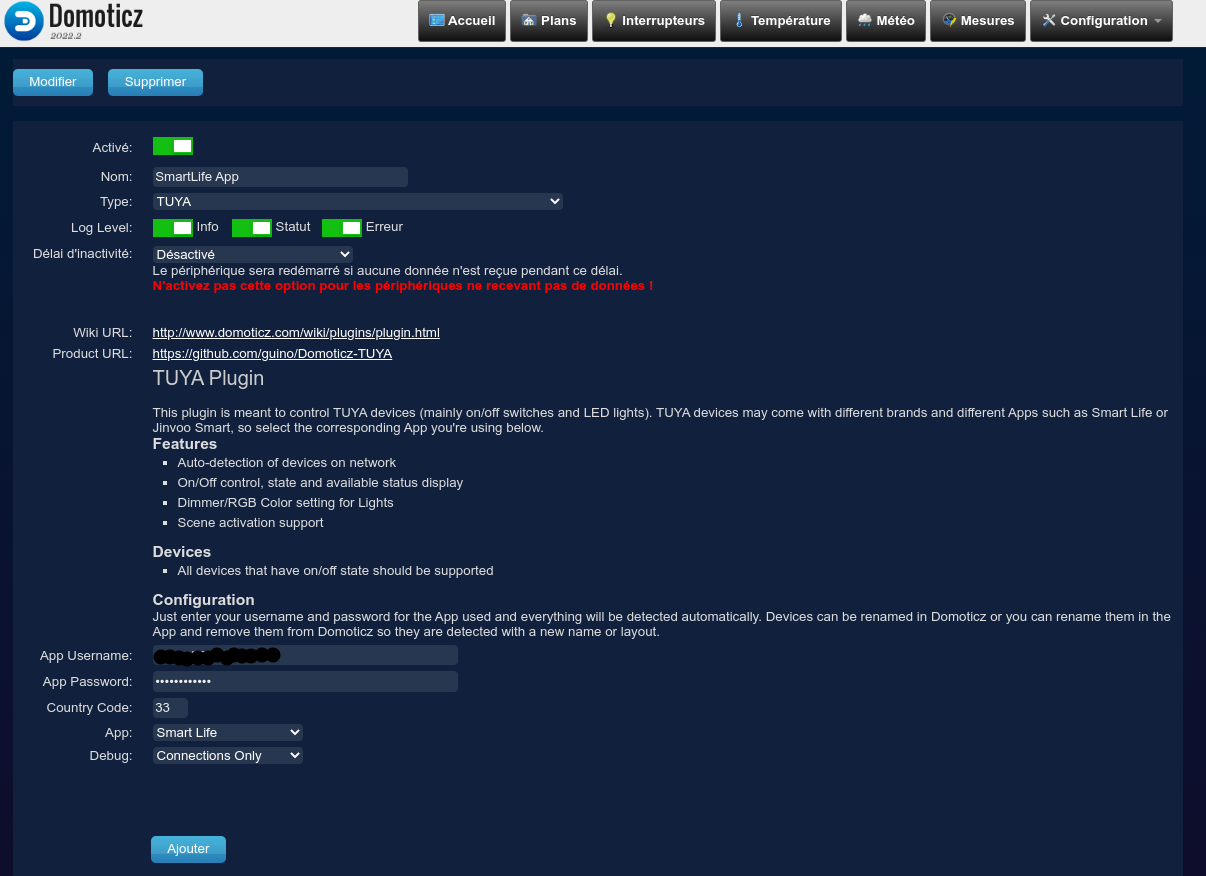
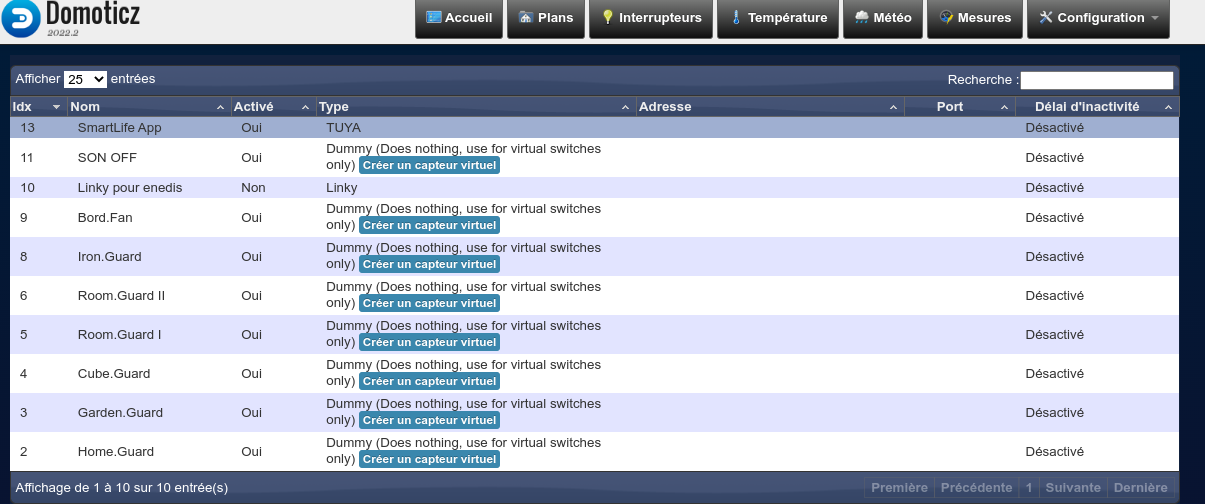
Dans domoticz sous Configuration / Materiel, ajouter le materiel TUYA:
Puis paramètrer en fonction de la source App (ici ex avec SmartLife)
 Aller dans Dispostif puis activer ceux voulu pour contrôle.
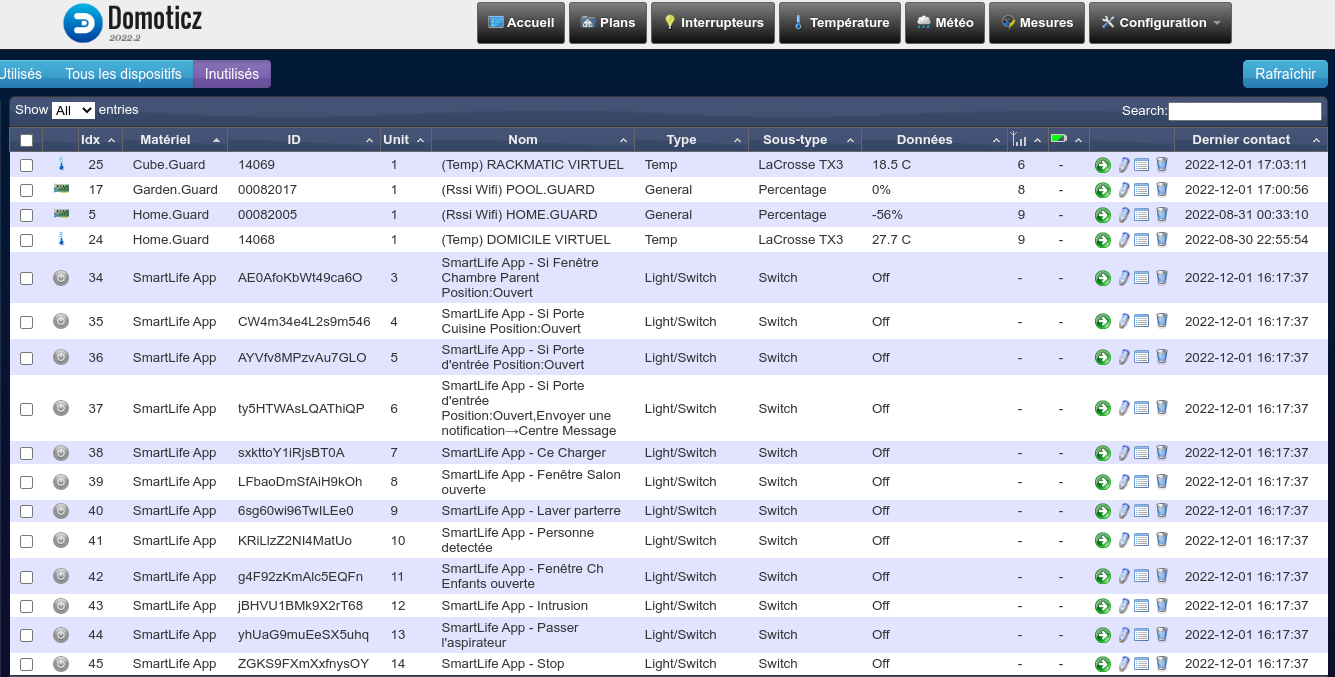 Une fois activé ils apparaîtrons dans l'onglet Interrupteurs.

domoticz/smartlife.txt · Dernière modification : de 127.0.0.1